
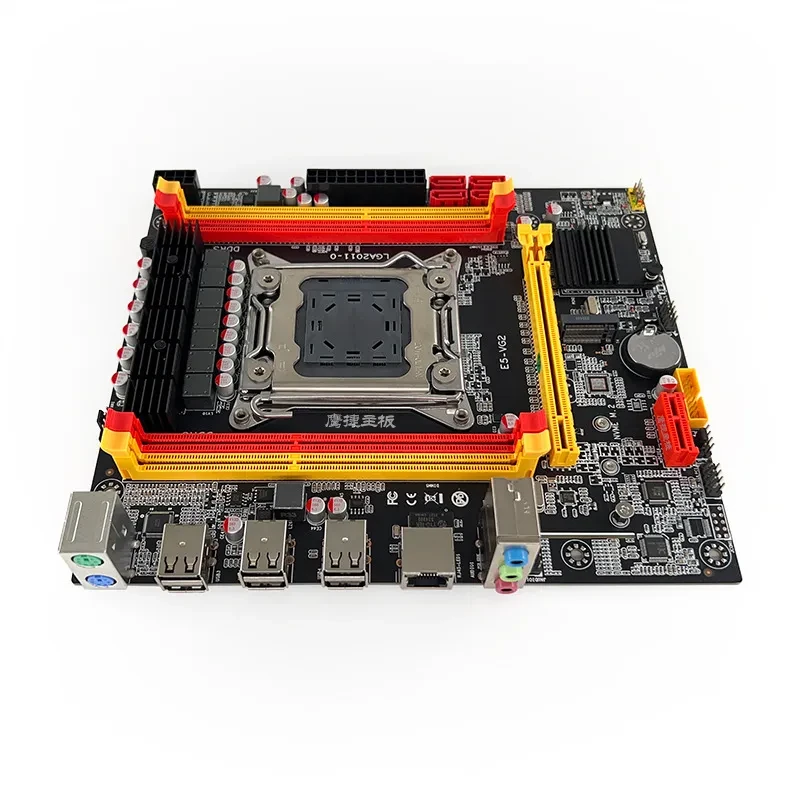
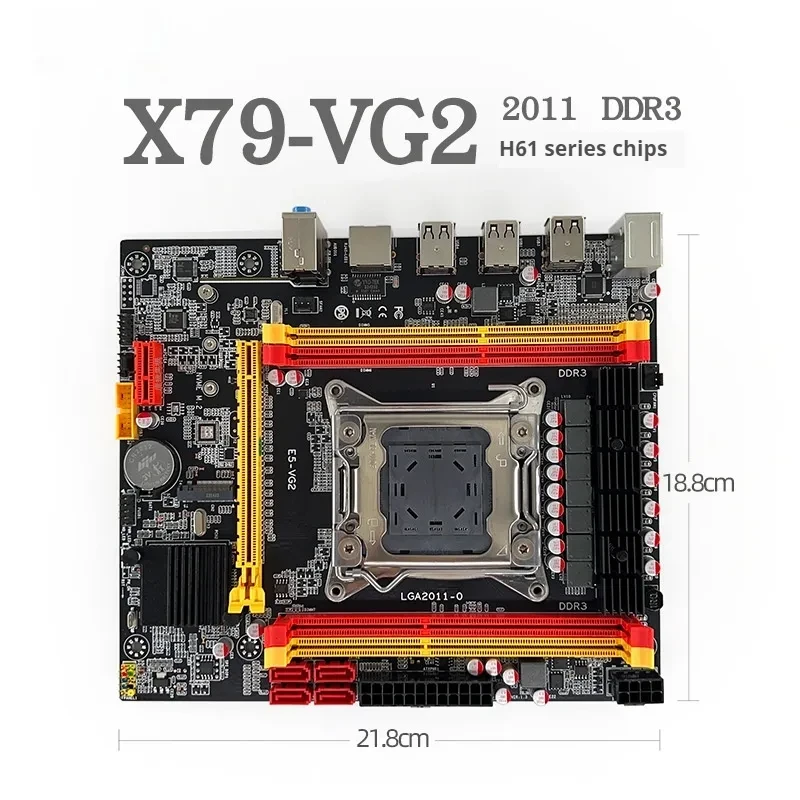
Desktop Motherboard
$69.99 NZD
Approx $39.71 USD
Normally: $72.99
Description:
DescriptionMaterialMetalProduct AttributesBattery ContainsPackage Size240*200*50(mm)
Product information:
Model: X79-VG2
Item No.: X79-VG2 Applicable types
Desktop: Motherboard architecture
CPU socket type: LGA 2011
Supported CPU type: 2011-pin CPU supported
FSB Frequency: 1600 (MHz)
On-board NIC : There is an on-board NIC available
Graphics card: Discrete graphics card
Supported graphics card standard: PCI Express 16X
Supported memory type: DDR3
Hard disk interface: M.2/SATA2.0
Number of USB ports: 6
Packing list: Baffle 1 SATA cable 1 Motherboard 1
Memory channel: Dual-channel
Maximum memory capacity: 128GB
Packing list:
Mainboard*1pc
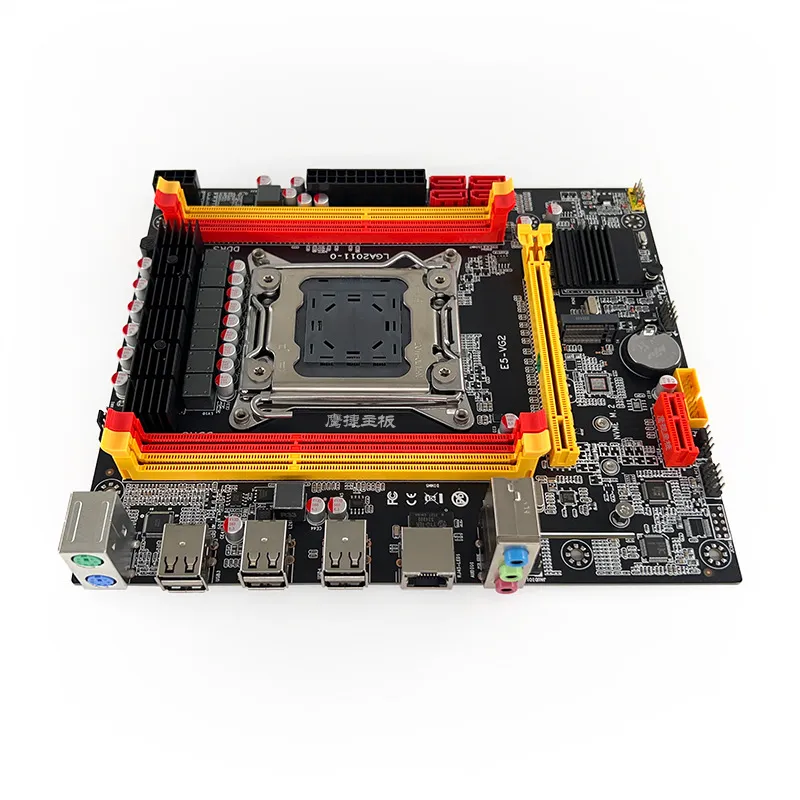
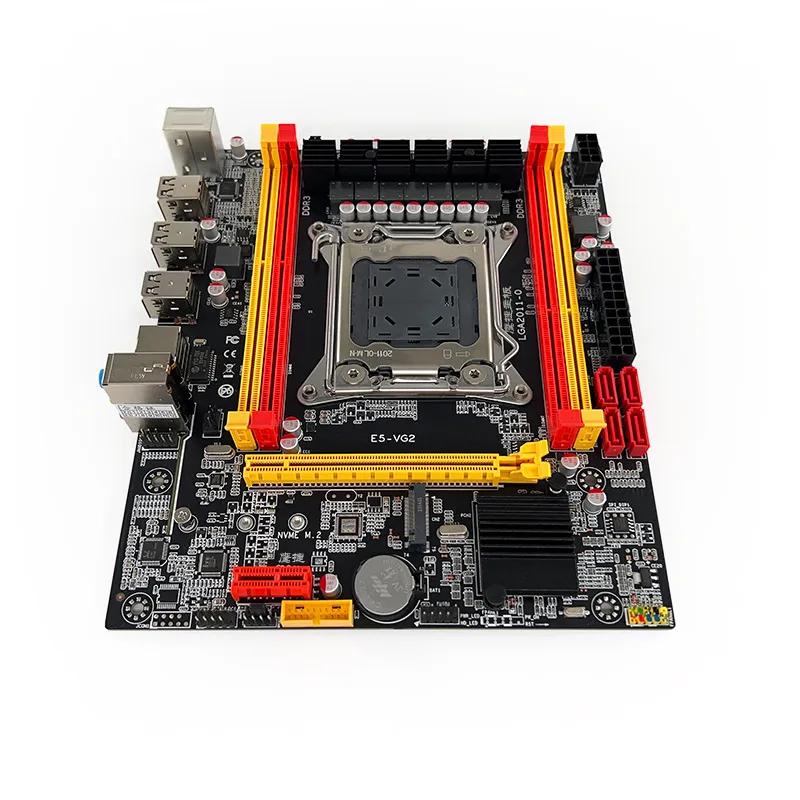
Product Image:
✅ What to Consider When Buying a Motherboard
Here are the key factors you should check before purchasing:
-
CPU socket & chipset: The motherboard must match the processor you plan to use. For example, if you go with an Intel
13th/14th Gen CPU you’ll need an appropriate socket (e.g., LGA 1700) and compatible chipset. Intel+2Newegg.com+2
-
Form factor / size: ATX, Micro-ATX, Mini-ITX etc. The board size must fit your PC case. en.wikipedia.org+1
-
Memory support: Number of DIMM slots, type (DDR4 vs DDR5), maximum capacity and speed. You want to ensure future-proofing
if adding RAM later. lifewire.com+1
-
Expansion slots & storage interfaces: Check PCIe slots (x16 for GPU), M.2 slots for SSDs, SATA ports for drives. If you
expect to upgrade later, more is better. Best
Buy Blog+1
-
Connectivity & features: USB ports (Type-C), audio, Ethernet/WiFi, onboard cooling/VRM quality. Good features make a
big difference in usability. Newegg.com
-
Budget vs premium: Higher-end boards cost more but offer better features/power delivery/overclocking support. lifewire.com
-
Compatibility with case and power supply: Make sure your case supports the form factor, and PSU connectors are compatible.
By focusing on these, you’ll avoid major mismatches (e.g., buying a board that doesn’t fit your case or supports a CPU you already have).
reddit.com+1
🛒 Recommended Motherboards
Here are eight strong picks in different tiers — always check local pricing, shipping to NZ/Thailand, warranty and stock.
 Gigabyte
X870e Aorus Xtreme AI TopTHB 22,856.73•Grooves-Inc.com
Gigabyte
X870e Aorus Xtreme AI TopTHB 22,856.73•Grooves-Inc.com ASRock
B760M Steel Legend WiFiTHB 5,479.46•Newegg.com - newegg.com Thailand + others
ASRock
B760M Steel Legend WiFiTHB 5,479.46•Newegg.com - newegg.com Thailand + others MSI
MAG B860M Mortar WiFiTHB 9,690.00•Network Hardwares + others
MSI
MAG B860M Mortar WiFiTHB 9,690.00•Network Hardwares + others ASRock
B550M Pro4THB 3,100.00•Great Ocean + others
ASRock
B550M Pro4THB 3,100.00•Great Ocean + others ASUS
Prime H510M‑E R2.0THB 2,434.49•Techinn.com
ASUS
Prime H510M‑E R2.0THB 2,434.49•Techinn.com Gigabyte
H610M K DDR4THB 2,000.00•Great Ocean + othersASRock
B760M Steel Legend WiFi (Alt)THB 5,479.46•Newegg.com - newegg.com Thailand + othersMSI
MAG B860M Mortar WiFi (Budget)THB 9,690.00•Network Hardwares + others
Gigabyte
H610M K DDR4THB 2,000.00•Great Ocean + othersASRock
B760M Steel Legend WiFi (Alt)THB 5,479.46•Newegg.com - newegg.com Thailand + othersMSI
MAG B860M Mortar WiFi (Budget)THB 9,690.00•Network Hardwares + others
Here’s a breakdown:
- Gigabyte X870e Aorus Xtreme AI Top: Flagship board with top specs, likely best for high-end builds needing many features.
- ASRock B760M Steel Legend WiFi: A modern mid-tier Intel board with WiFi, good for a balanced build.
- MSI MAG B860M Mortar WiFi: Upper-mid Intel board in mATX form—good for compact builds.
- ASRock B550M Pro4: Entry/ mid AMD board for AM4 socket—if you’re using an older Ryzen CPU or budget build.
- ASUS Prime H510M‑E R2.0: Budget Intel board, simpler chipset, fewer features—but solid for basic use.
- Gigabyte H610M K DDR4: Ultra-budget board, good for basic office/home PC, limited features but cost-effective.
- The last two repeats are alternatives in same tiers — useful if stock/price varies.
📋 Which One Should You Choose?
Here’s how to pick based on your needs:
-
If you’re building high-performance gaming / content-creation rig, go for the flagship (X870e) or equivalent—lots of
expansion, high-end features.
-
If you’re building a mid-range gaming PC or workstation, the B760 or B550 boards are great—balance of performance + cost.
-
If you just need a basic desktop for office work, browsing, media consumption—go for the H510 or H610 boards. They’re
cheaper and still serve well.
- Consider your case size: If you have a compact case, a mATX board (like B860M) might be better.
- Ensure your CPU matches the socket: Don’t buy a board with the wrong socket/chipset for your processor.
-
Think future: If you might upgrade later, extra DIMM slots, M.2 slots, PCIe version (4.0/5.0) and WiFi/USB-C support may matter.